Log into an MSx Device's Web Page
Quick Reference QR-AE-004 · Audio Enhancement EPIC · Rev 1.2 · Oct 2026
Get a device's password from EPIC and open its built-in web interface.
📄 View or download this guide as a PDF
Click the PDF icon below to open it right here in your browser. In the viewer, use Download (top right) to save a copy, or the printer icon to print it.
Every MSx device has its own web page. EPIC keeps each device's login: find the device in EPIC, copy its password, then open its IP address and sign in.
1️⃣ Find the device in EPIC
Log into EPIC as an Administrator and click Settings on the left. The page shows the Known Devices list. Search by name, MAC or IP address, or sort by any column.

Settings › Devices › Known Devices.
2️⃣ Copy the device password
- Click the blue pencil icon to edit the device.
- Highlight and copy the Device Password. You can copy it without entering edit mode.
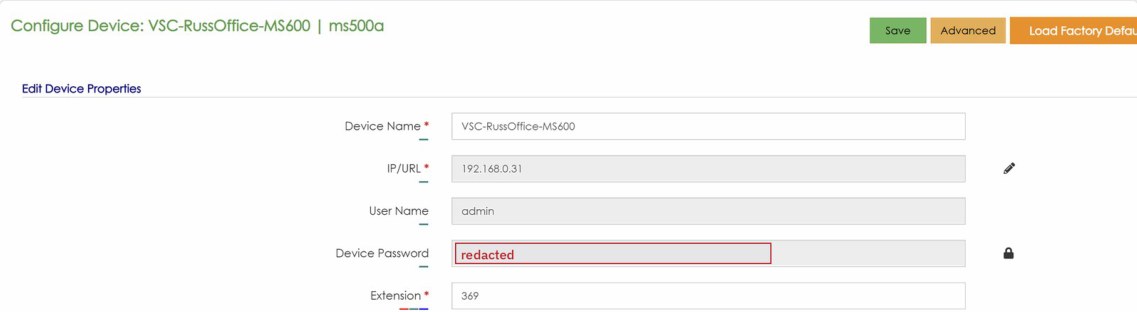
Configure Device. Device Password redacted; the lock icon next to it changes the password.
What the password looks like: current devices use a generated password, usually two random words and four random letters or numbers. Older devices may still have the old factory default.
3️⃣ Open the device's web page
- With the password on your clipboard, right-click the device's IP address in Known Devices and choose Open in new tab.
- If the browser warns that the connection isn't private, that's expected. The device uses plain HTTP on the local network.
- Enter admin as the username, paste the password, and click Login.
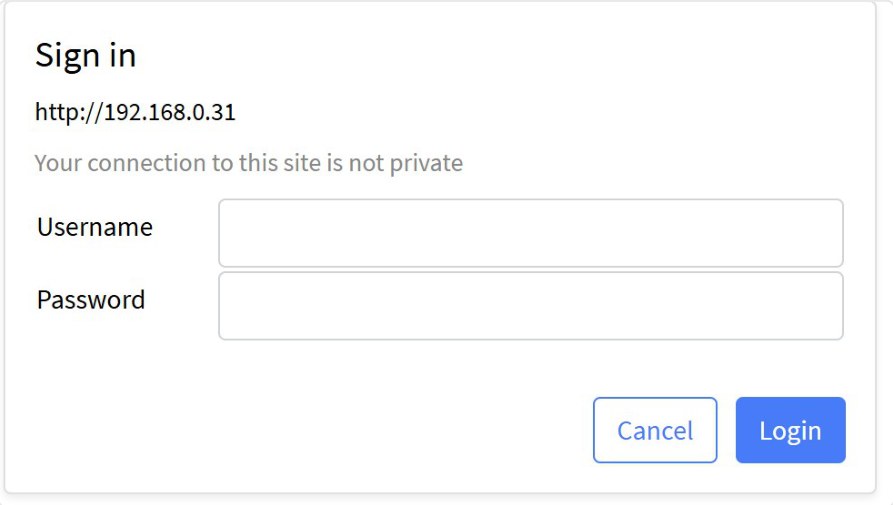
Browser sign-in prompt (Chrome on Windows; other browsers look different).
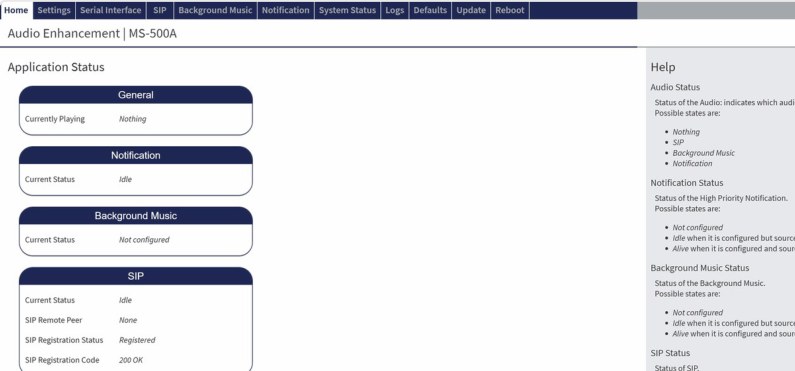
Logged in: the device's Application Status home page.
Field tips
- Need to change the password? Click the lock icon next to Device Password, enter the username, the current password and the new password, then click Update. EPIC updates the device for you.
- Not using Chrome? The sign-in prompt looks different in other browsers, but it asks for the same username (admin) and the password from EPIC.
📚 Sources & credits
- Procedure: Brad Roy, VSC Director of Operations (Chrome on Windows)
- Audio Enhancement: EPIC 2.5 Admin Manual DC-40654.0824 (Known Devices p. 22, changing device credentials p. 28)
- Screenshots: VSC office demo units. The device password is redacted.