Fix a Blank “Ghost Box” or Missing Doors Toggle on the EPIC Home Screen
Quick Reference QR-AE-006 · EPIC Troubleshooting · Rev 1.0 · Sept 2026
A field fix for a blank pop-up that keeps coming back and a Doors toggle that disappears.
📄 View or download this guide as a PDF
Click the PDF icon below to open the guide right here in your browser. In the viewer, use Download (top right) to save a copy, or the printer icon to print it.
Symptoms
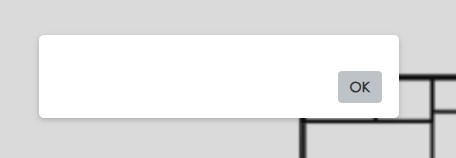
1. A blank “ghost box” with only an OK button. It comes back after every refresh.
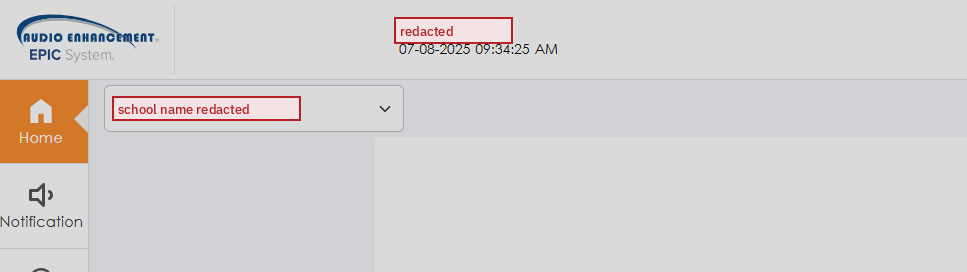
2. The Doors toggle is missing from the home screen (EPIC 2.5+).
Cause
The Lockdown event's Event Name was changed from lockDown to something else (here, Lock Down). EPIC looks for that exact internal name. When it can't find it, the home screen loads a blank pop-up and hides the Doors toggle.
Fix
- Open the Lockdown event's properties. In the Event Builder, click Advanced, then open the event's properties.
- Set Event Name back to exactly
lockDown: lowercase l, capital D, no space. - Leave Display Name as whatever the school wants to see, e.g. Lock Down.
- Click Update Event and refresh the home screen.
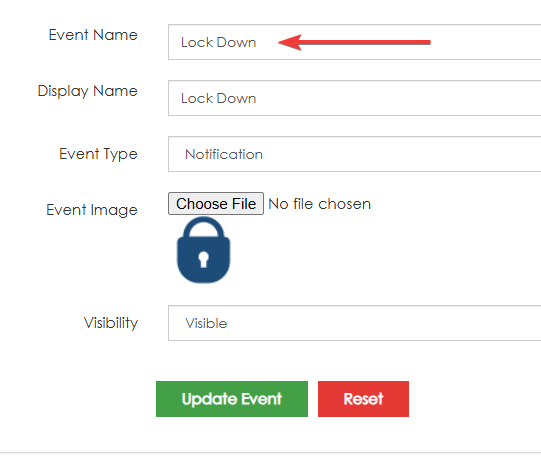
Wrong: Event Name changed to “Lock Down”.
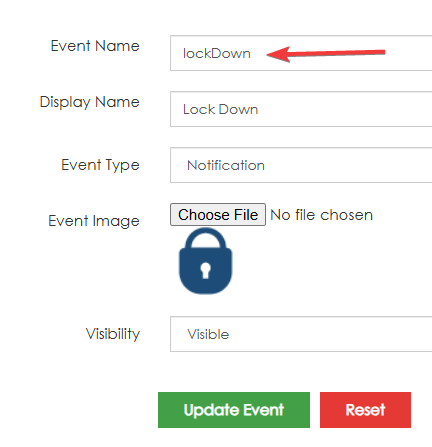
Right: Event Name is “lockDown”. The Display Name can stay “Lock Down”.
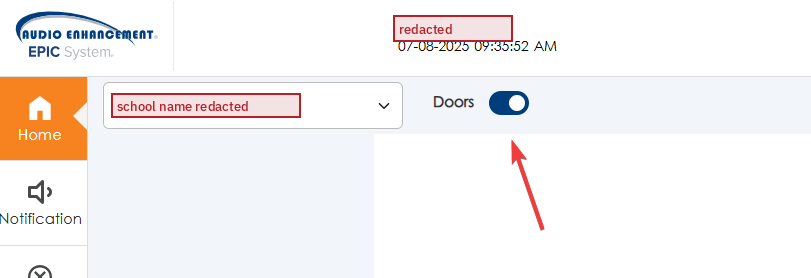
Fixed: no ghost box, and the Doors toggle is back.
📚 Sources & credits
- Diagnosis and fix: Brad Roy, VSC Director of Operations (observed at a client high school, 7/2025; school name redacted in screenshots)
- Audio Enhancement, EPIC 2.5 Admin Manual DC-40654.0824: Events and editing notifications (p. 58), for context
- Not documented by Audio Enhancement. Treat it as a VSC field fix.
Source files: SharePoint › Odoo › Quick Reference › VSC Guides › Audio Enhancement › QR-AE-006.